Reading tracker for iPhone

Your reading life, beautifully kept.

A calm companion for people who love books. Build your library, time your reading, keep a streak, and see how you read.

Monthly and Yearly start with a free 7-day trial. Lifetime is a one-time purchase.

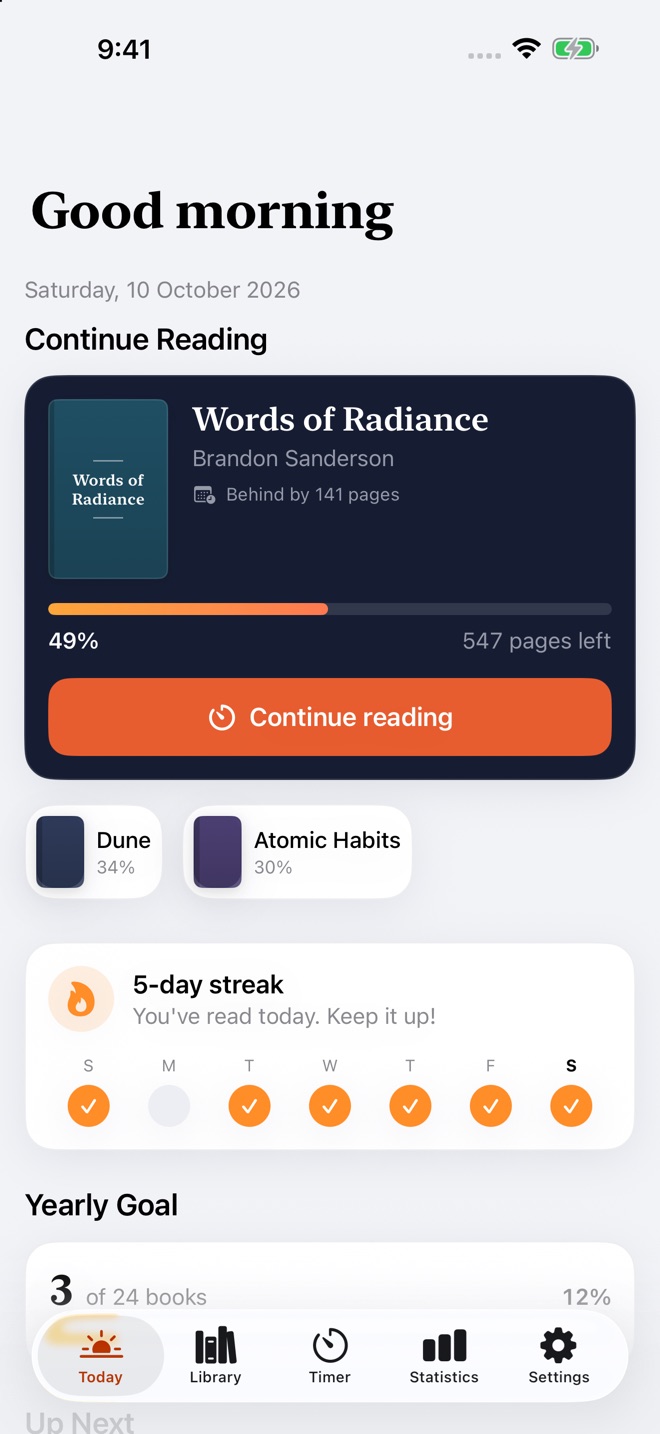
Folio’s Today screen: Words of Radiance at 49% with a Continue reading button, a 5-day streak, and progress toward a yearly goal of 24 books.

Watch the film.

A 24-second trailer for a reading habit. Book one is finished, and book two is longer. Sound on.

Inside Folio

From the first page to the year in review.

Library

Every book you own, in one place.

Scan a barcode and the book is in. Folio fills in the details so your shelves stay tidy without the busywork.

  • Add books by barcode, by searching Open Library, or by hand
  • Bring your history from Goodreads, StoryGraph, or LibraryThing CSV exports
  • Sort into collections with their own icons and colours
  • Keep track of the books you’ve lent out or borrowed
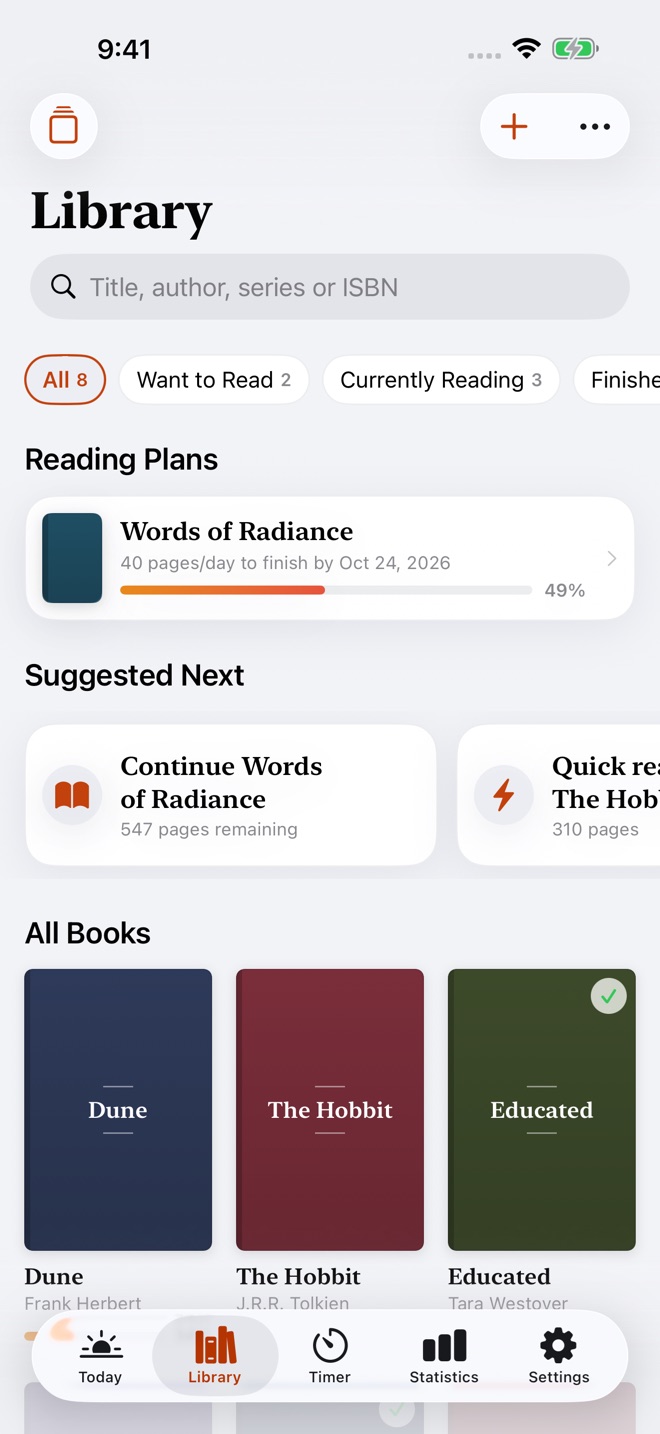
The Library screen with filters for Want to Read and Currently Reading, a reading plan, suggested next books, and a grid of covers.

Habit

Turn reading into a daily ritual.

Pick up your book, start the timer, and let Folio keep count. A few pages a day adds up, and your streak shows it.

  • A session timer with a Live Activity on the Lock Screen and in the Dynamic Island
  • Start and stop sessions from your Apple Watch
  • Daily, weekly, monthly, and yearly goals
  • A streak that rewards showing up, day after day
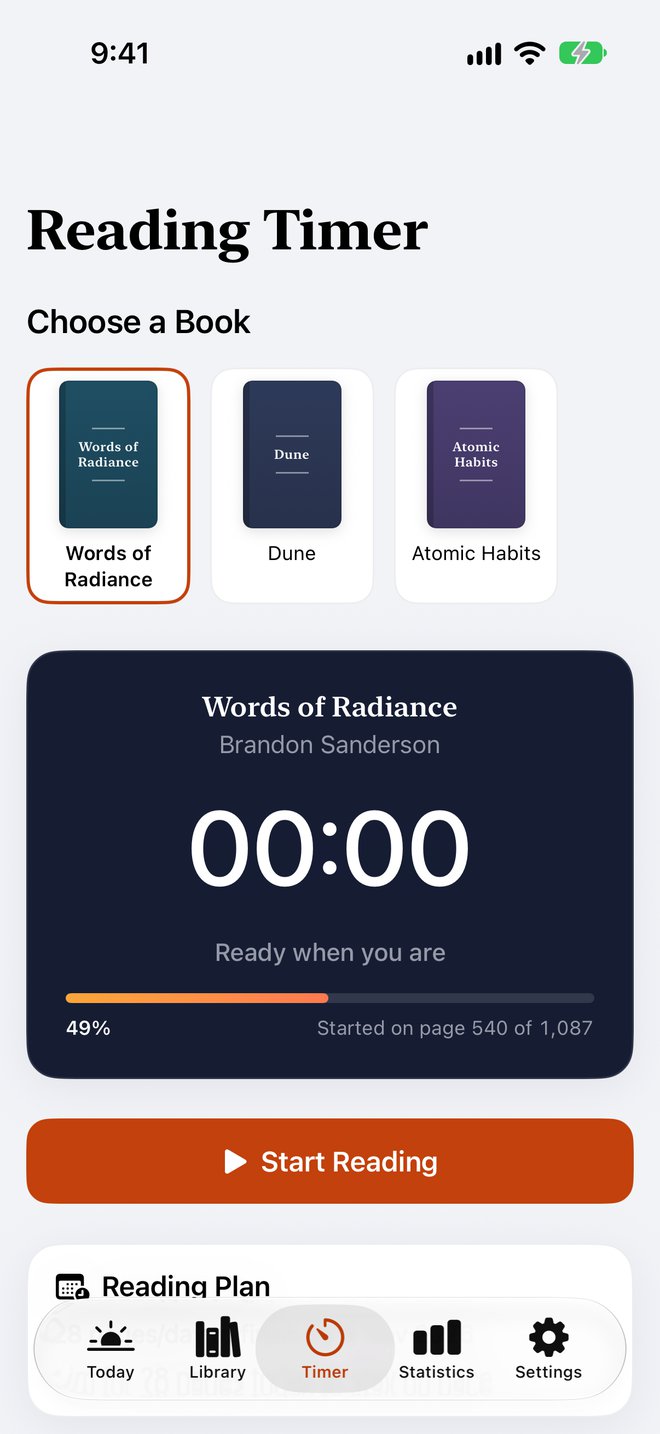
The Reading Timer: choose from Dune, Atomic Habits, or Words of Radiance, then tap Start Reading.

Plans and series

Finish on time. Know what’s next.

Give a book a finish date and Folio works out the pages per day, then tells you plainly whether you’re ahead or behind.

  • Finish-date reading plans with a daily pace
  • Series kept in reading order, with the next book one tap away
  • Progress, sessions, quotes, and journal together on each book
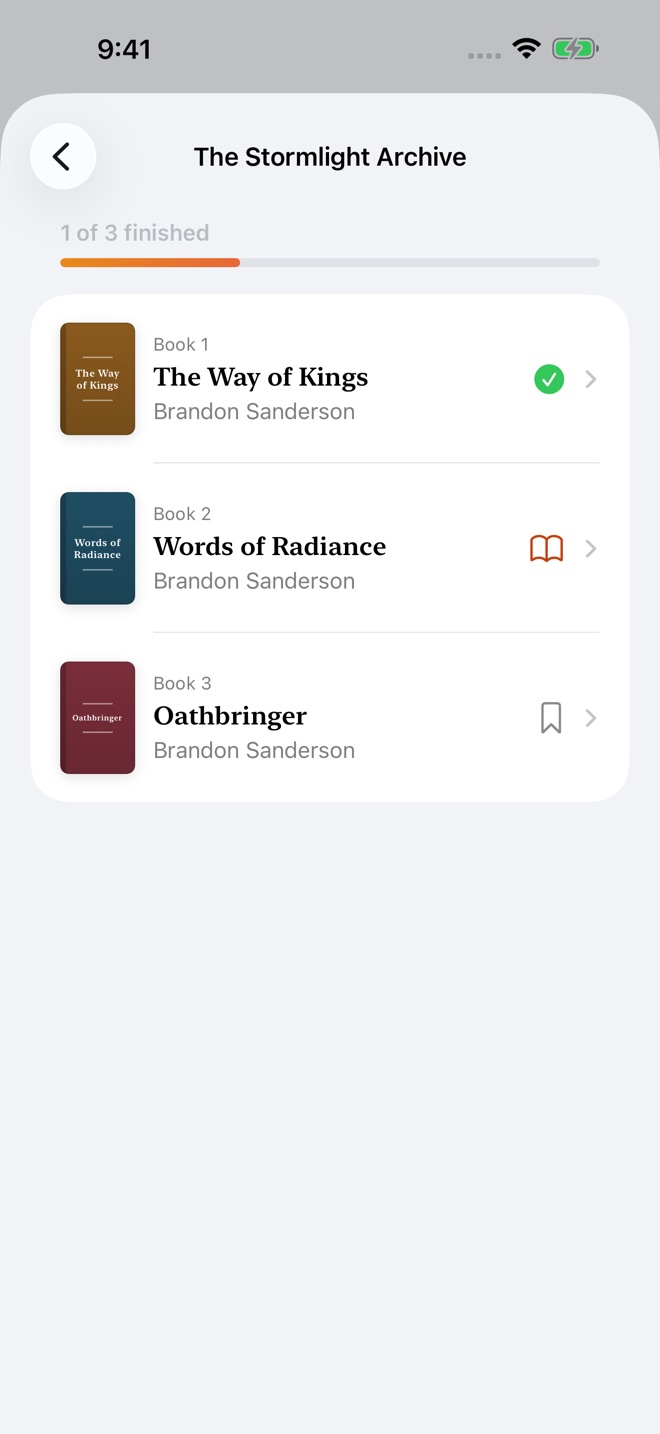
The Stormlight Archive in reading order: The Way of Kings finished, Words of Radiance in progress, and Oathbringer next.
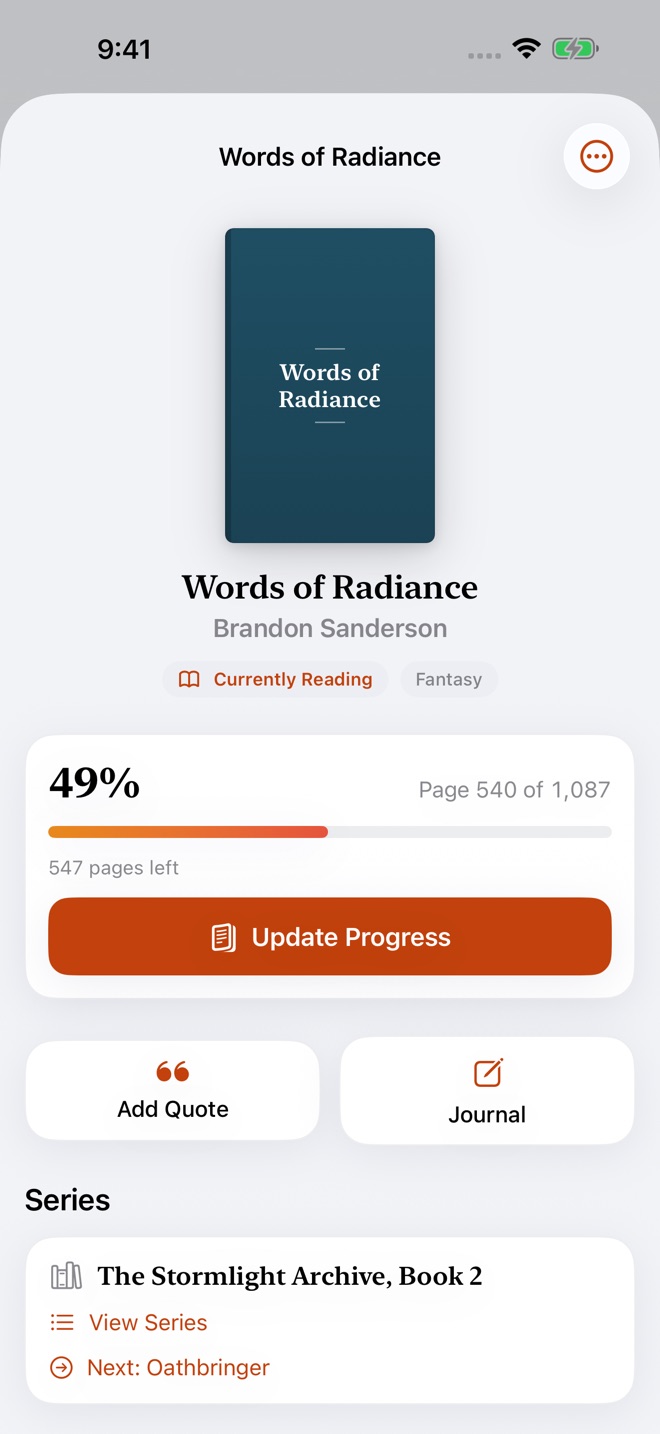
Words of Radiance: 540 of 1,087 pages read, book 2 of The Stormlight Archive with Oathbringer next, and a reading plan of 40 pages a day.

Insights

See exactly how you read.

Books, pages, hours, and streaks for any stretch of time, from this week to all time. Then a Year in Review to look back on.

  • Statistics by week, month, year, or all time
  • Favourite genres and authors, and your longest streak
  • A Year in Review that recaps your reading year
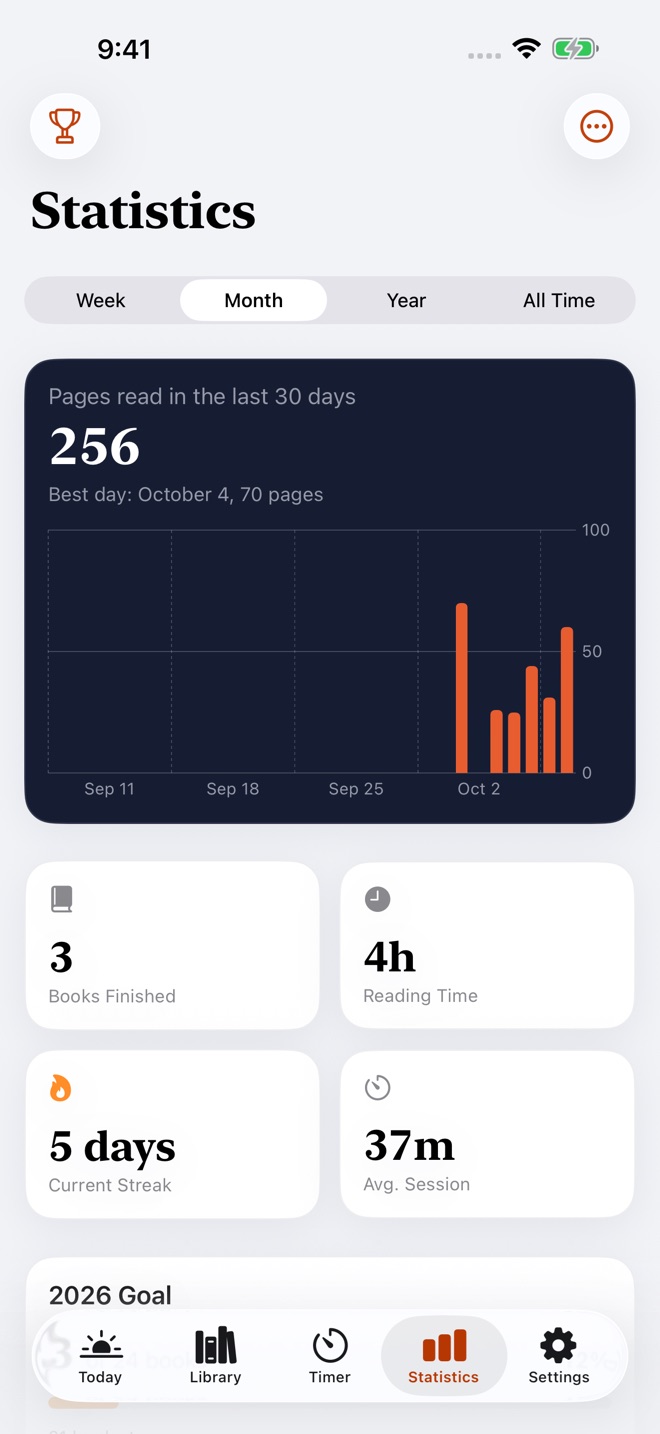
Statistics for this month: 3 books read, 256 pages, 4 hours of reading, a 5-day streak, and a chart of daily reading activity.

Quotes and journal

Keep what a book gave you.

Save a line with its page and chapter, write a journal entry with a mood, and rate the books you finish. Turn a favourite quote into a card to share or save to Photos.

“The most important step a man can take. It’s not the first one, is it? It’s the next one.”
Brandon Sanderson, Oathbringer

Achievements

Small rewards for reading.

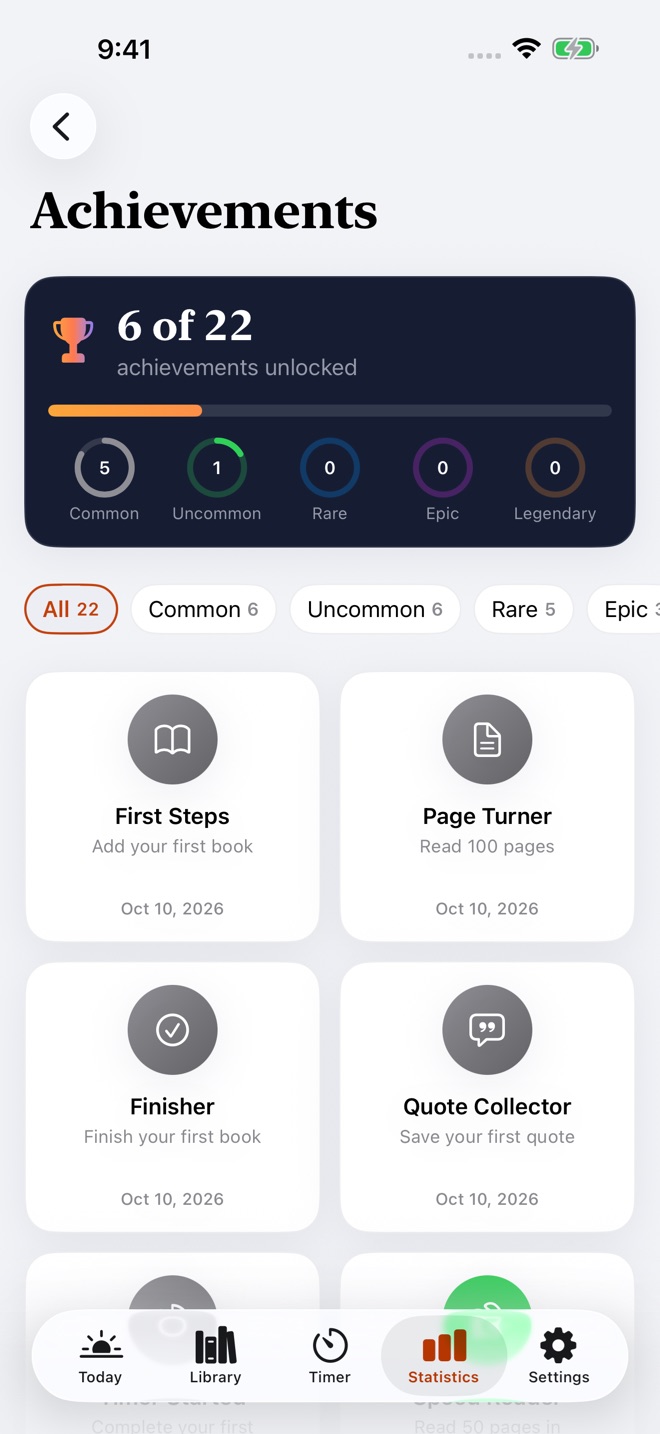
Unlock achievements across five rarity tiers, from your first book to a long-running streak. Rewards for the reading you were going to do anyway.

Wherever you read

Right there when you pick up a book.

Apple Watch
A reading timer on your wrist, so your phone can stay in the other room.
Widgets
Your current book and progress on the Home Screen and Lock Screen.
Live Activities
A running session on the Lock Screen and in the Dynamic Island.
Siri, Shortcuts, and Spotlight
Log progress, check your streak, or add a book without opening the app.
iPhone and iPad
Your library stays current across devices through iCloud.
Made for everyone
Full Dark Mode, Dynamic Type, and VoiceOver support.

Privacy

Your reading stays yours.

What you read is personal. Folio keeps it on your devices and in your own iCloud, and nowhere else.

  • On your device

    Your books, sessions, quotes, and journal are stored on your iPhone. There are no Folio servers holding your reading data.

  • Private iCloud sync

    When you’re signed in to iCloud, your library moves between your devices through your own iCloud account.

  • No account, no ads, no tracking

    There’s nothing to sign up for. Folio doesn’t show ads or track you across apps.

  • Book search without the baggage

    Title searches and covers come from Open Library. No personal data is shared with it.

  • Camera stays on-device

    The barcode scanner works on your phone. Nothing it sees is stored or sent anywhere.

  • Take it with you

    Export your whole library to CSV or JSON whenever you like.

Pricing

One membership. The whole app.

No ads and no feature tiers. Every plan unlocks your whole library, iCloud sync, the Apple Watch app, advanced statistics, Year in Review, widgets, reading reminders, and import and export.

Monthly

$2.99per month

Starts with a free 7-day trial. Cancel anytime.

Lifetime

$49.99once

A one-time purchase. No trial and no renewal. Yours to keep.

Prices are in US dollars. The App Store shows the price in your local currency before you buy.

Payment is charged to your Apple ID at confirmation of purchase. Subscriptions renew automatically unless cancelled at least 24 hours before the end of the current period. Manage or cancel anytime in your App Store account settings. See the Terms of Use and Privacy Policy.

FAQ

Questions, answered.

Can I try Folio before I pay?

Yes, two ways. Tap “See how Folio works” on the plans screen for a guided look at the real app with sample books. When you’re ready, the Monthly and Yearly plans each begin with a free 7-day trial.

Can I bring my Goodreads or StoryGraph library?

Yes. Export a CSV from Goodreads, StoryGraph, or LibraryThing, then import it from Settings. Folio shows a preview before anything is added. Folio’s own backups import the same way.

Where is my reading data stored?

On your device, and in your personal iCloud account when you’re signed in to iCloud. Folio has no servers that hold your books, notes, or reading habits.

Which devices does Folio work on?

iPhone and iPad, with a companion Apple Watch app for timing sessions. Widgets work on the Home Screen and Lock Screen.

What happens when I get a new phone?

Sign in with the same Apple ID and iCloud, and your library comes back automatically. Tap Restore Purchases in Settings to restore your membership.

Can I get my data out?

Anytime. Export your whole library from Settings as CSV or JSON.

How do I cancel or ask for a refund?

Subscriptions are managed by Apple: open the Settings app, tap your name, then Subscriptions. Refunds are handled by Apple at reportaproblem.apple.com.

More answers on the Support page.

Start reading with intention.

Build the library, the habit, and the record of a reading life worth keeping.